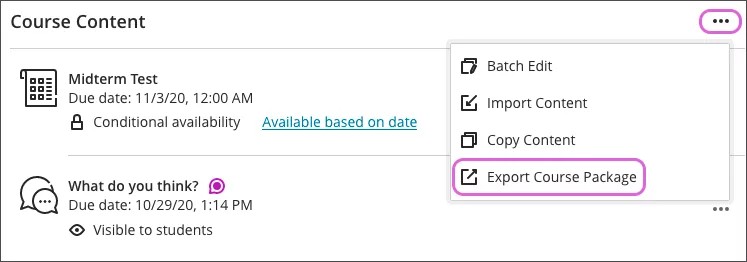
On the Course Content page, open the menu list. Select Export Course Package.
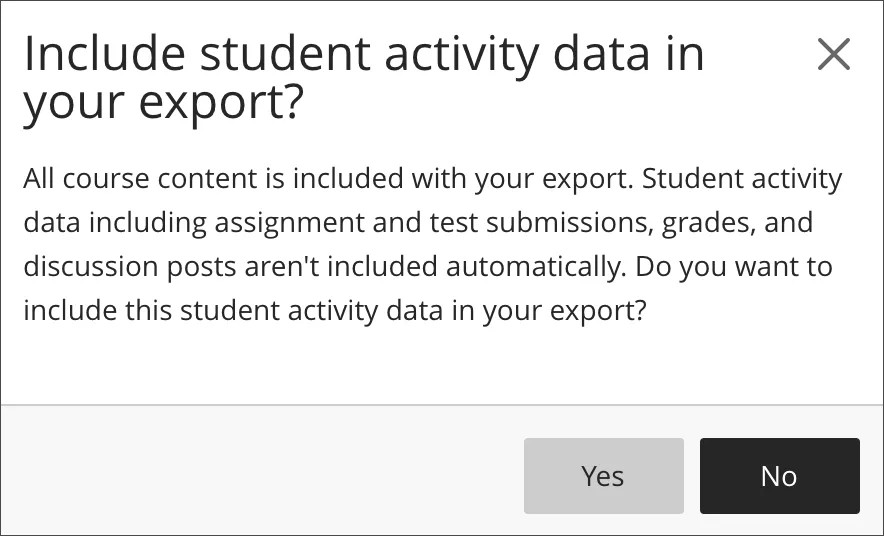
The system asks if you want to include student activity data in your export, which is an archive. Student activity data includes assignment submissions, grades, attendance data, and discussion posts. Select Yes if you want to include the student enrollment and student data. Select No if you only want to copy the content without the student enrollment and data.
When the export or archive package is ready, the ZIP file appears. Select the file name to download the package to your computer.
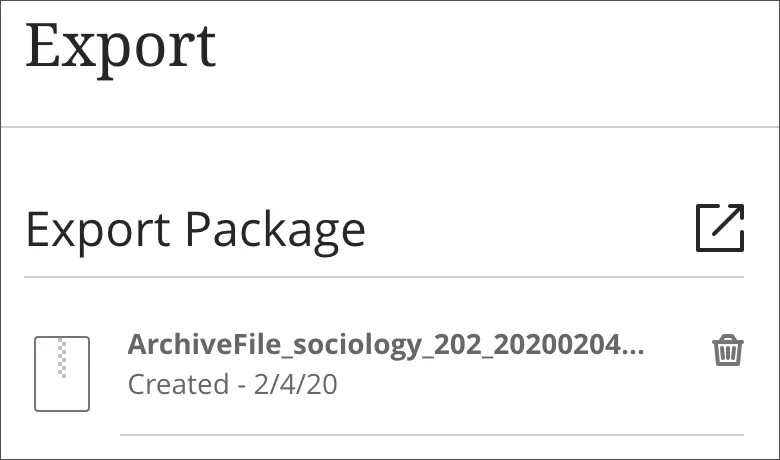
Export and archive packages are downloaded as compressed ZIP files and are imported or restored in the same format. Don't unzip a package or delete files from the package, as then the contents can't be imported correctly. Do not try to open this ZIP file on your computer, it will not open correctly and compromise the file.
You can export your course content for use in the future. This content is included in an export/archive package:
- Course content
- Rubrics associated to assignments
- Calendar events, including office hours and course schedule
- Discussions
- Gradebook settings
- Manual gradebook items
- Goals alignments
- Attendance for archives only
- Course announcements